Creating training should be straightforward. The new course design experience for Capabl Build and Capabl Transform makes it faster and easier to create courses and sessions, while keeping all the functionality you rely on.
Why are we making this change?
Several clients told us that creating a training course or session had become too demanding, with too many fields and decisions to make at once.
We listened to this feedback and redesigned the experience to make course creation simpler and more focused, without removing any functionality.
What will change?
We analysed existing training created in Capabl Build and Capabl Transform to understand which fields and settings administrators use most frequently. Based on these insights, we streamlined the process for creating courses and sessions, while keeping all existing features.
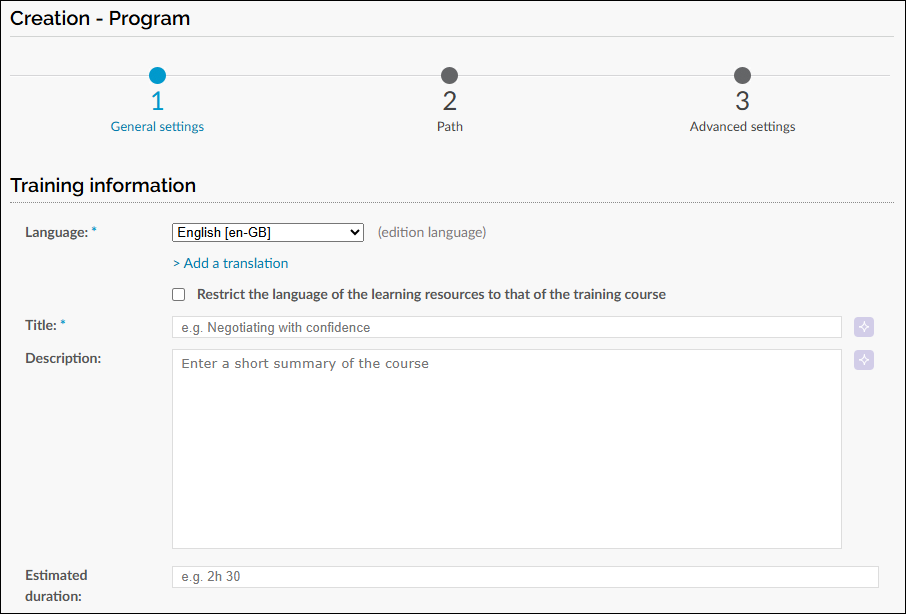
The new experience includes:
- Fewer steps when creating a course or session.
- A simpler General Settings step, showing only the metadata fields that are used most frequently.
- Advanced metadata when you need it, available by selecting Show advanced metadata.
- Less frequently used features out of the way by default, while remaining accessible from the Advanced settings step.
The pages available under Advanced settings remain unchanged, so you still have access to the same configuration options as before.
A smooth transition
The new course design experience will be activated for all administrators. You can return to the previous course design experience at any time. This choice is individual to each administrator, so everyone can switch when they are ready.

The classic experience will remain available for the coming months, giving your teams time to become familiar with the new design.
Availability
The new course design experience will be available on all platforms from 26 November.