Navigate at the speed of light with the Admin Shortcuts!
The back office of Capabl (CKLS) is a very powerful instrument with many pages and options. To help our administrators find the option they are looking for, we are introducing Admin Shortcuts.
Where to find it
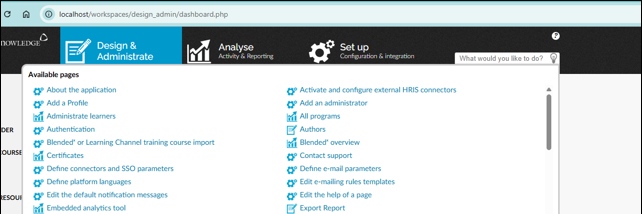
You’ll find this feature on all pages of the back office, on the top right of your screen.
What it does
Instead of navigating to a back office feature via the menu’s, administrators can type name of the action they want to perform, and they will be redirected immediately to the correct page.
Example: instead of clicking on Learners, then Administrate learners, then Import learners, you type Import learners, hit enter and you are redirected immediately to the correct page. You don’t need to remember in which menu the option is located.
Availability
This feature will be activated on all platforms on Thursday, February 26.